A Beginners guide to using CSS Subgrid with tailwindcss
In UI design tools like figma, a grid system is almost always required to create a consistent layout. The CSS grid allows UI devs to be able to easily replicate this grid layout into a webpage.
The Subgrid feature essentially allows the elements inside a grid's child element to use the grid tracks defined in the parent.
An obvious use case is vertical alignment of elements of different heights arranged in a row.
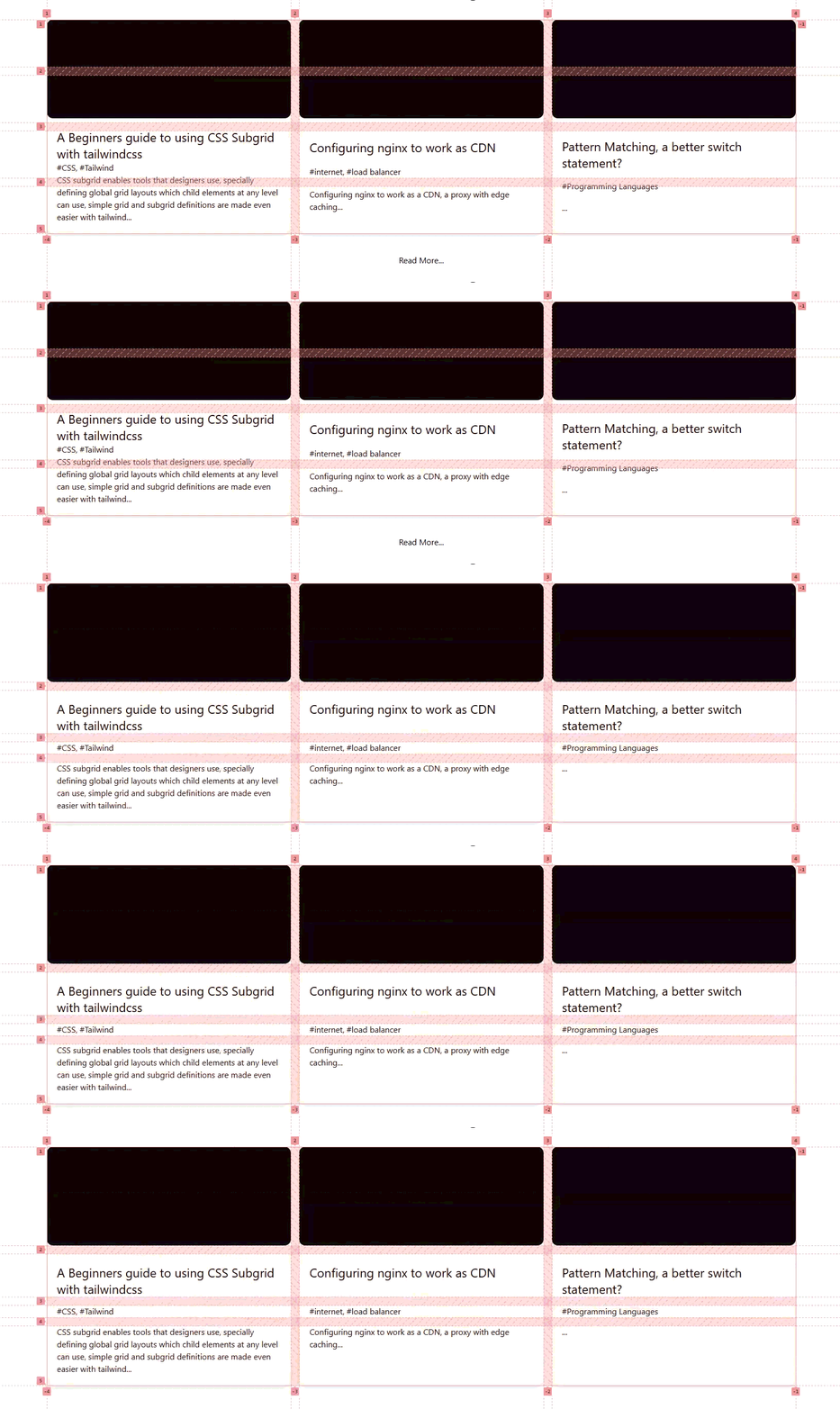
Fig 1. Visualization of how subgrid uses the parent's grid tracks to align children
In the above image we can see the tracks defined in the grid container (parent) being used to align the banner, title tags and description elements of a row of cards
Subgrid in tailwind
The tailwind utility classes that define a basic grid include
| CSS property | Tailwind class | Description |
|---|---|---|
display:grid | grid | specifies element as the grid container |
grid-template-rows: subgrid | grid-rows-subgrid | Allows nested child elements to use the grandparent' s grid lines |
grid-template-rows: repeat(<number>, minmax(0, 1fr)) | grid-rows-\<number> | defines the number of rows with each grid element of equal size * |
grid-row: span <number> / span <number> | row-span-\<number> | The |
<!-- The parent grid -->
<div className="grid grid-cols-2 gap-2 w-full">
    <!-- The child which aligns its contents with the parent's grid of 4 rows -->
    <div className="grid grid-rows-subgrid row-span-4">
        <!-- specify how many rows a child's span and start-->
        <div className="grid grid-rows-subgrid row-start-1 bg-green-400">
            <div className='h-5'></div>
        </div>
        <!-- specify how many rows a child's span and start-->
        <div className="grid grid-rows-subgrid row-start-2 row-span-3 bg-red-400">
            <div className="h-5"></div>
        </div>
    </div>
    <!-- add other columns, you can experiment with the childs placement and spans -->
</div>
- After adding another column with different span/start values, it results in the following grid
*The properties defined in above table work in the same manner for columns (-cols-, col-span-, col-start-) etc.
*There are many css grid properties which aren't available through these simple tailwind classes but can be accessed
by using tailwind's custom_value and --variable syntax.
*Some of those may include customizing the repeat and minmax functions in grid-template-*.